A place for every room.
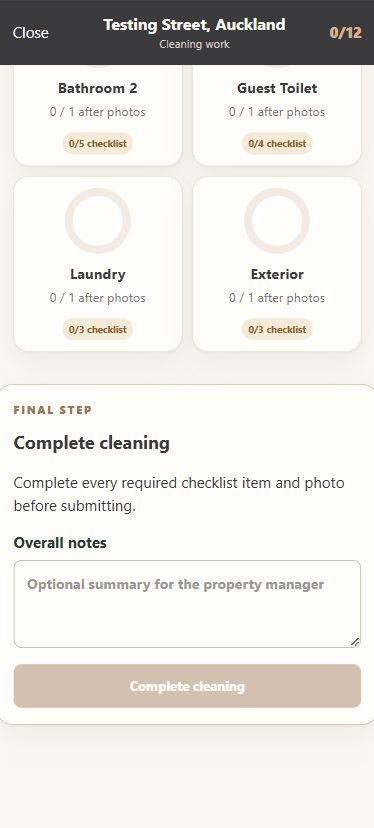
Area-specific checklists and progress indicators make the remaining work easy to identify.
A mobile cleaning workspace for recording room checklists, before-and-after photos, notes and issues, with records intended for management review.
VISIT THE PORTAL (opens in new tab)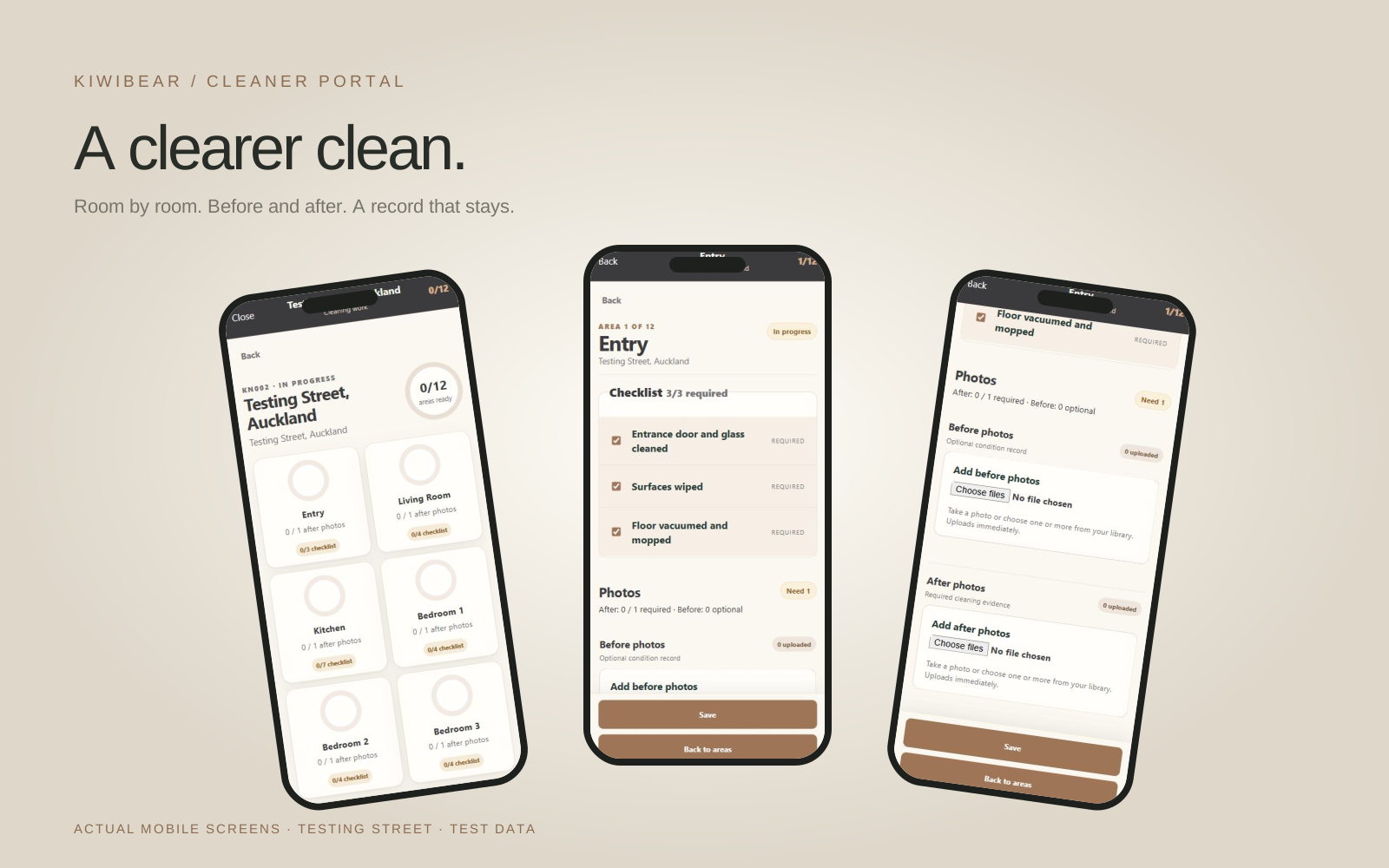
The project helps internal cleaning staff document room conditions consistently. Checklists, photographs and notes keep the cleaning history together, with a report intended to support later management review and record keeping.
Area-specific checklists and progress indicators make the remaining work easy to identify.
Separate photo groups distinguish original conditions from the cleaning evidence.
Notes and issues support management follow-up instead of relying on scattered messages.
A guided walkthrough using Testing Street. These are real phone-sized captures from the Cleaner account, presented in device frames.
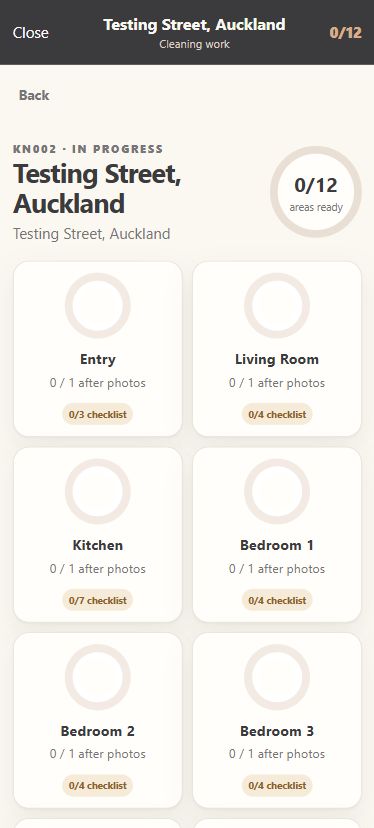
Start with Testing Street and see all 12 cleaning areas in one place. Each room shows checklist and photo progress, so unfinished work stays visible.
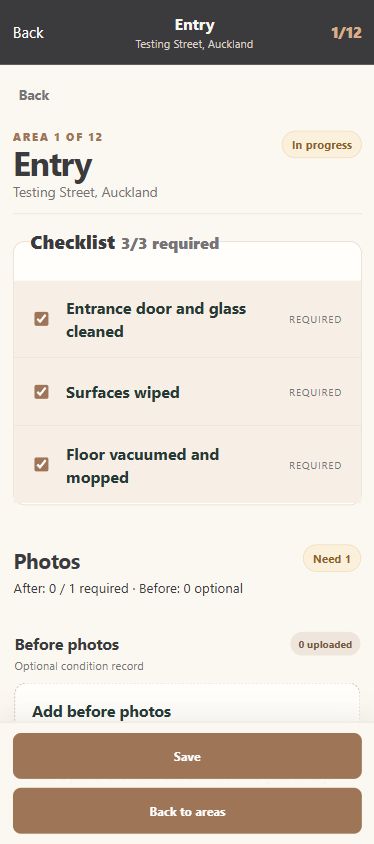
Work through the required room checklist. Add cleaning notes and record damage, maintenance or supply issues against the same area.
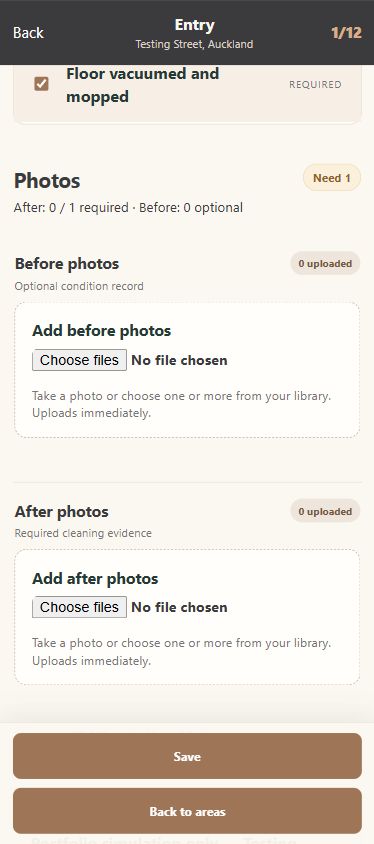
Before photos preserve the original condition. After photos provide the required cleaning evidence. Staff can take a photo or choose images from their library.
The property overview keeps every area in view. Completion is blocked until all required checklist items and photos are present; overall notes provide a handover summary.
The intended report brings room status, photo evidence and notes together for management. The layout below is a portfolio simulation based on the test record; the generated report and Admin review workflow have not yet been verified.
Room checklists, condition photos and issue notes stay attached to the same cleaning record.
Cleaner workflow inspected using the authorised Testing Street test account. Phone screens show real test data. The manager report is an illustrative future presentation; no completion, business metrics or unverified Admin functionality is claimed. Production data and proprietary business information are not publicly accessible in this case study.