Admin
Prepare sale details and commission allocations in one place.
From sale details to a clear commission statement. A workspace designed to help Admin and finance complete calculations with less manual handling, and help managers review the financial breakdown.
CALCULATE → RECONCILE → STATEMENTThis case study uses anonymised and recreated data. Production data and proprietary business information are not publicly accessible. All portfolio examples use simulated values and anonymous agent labels.
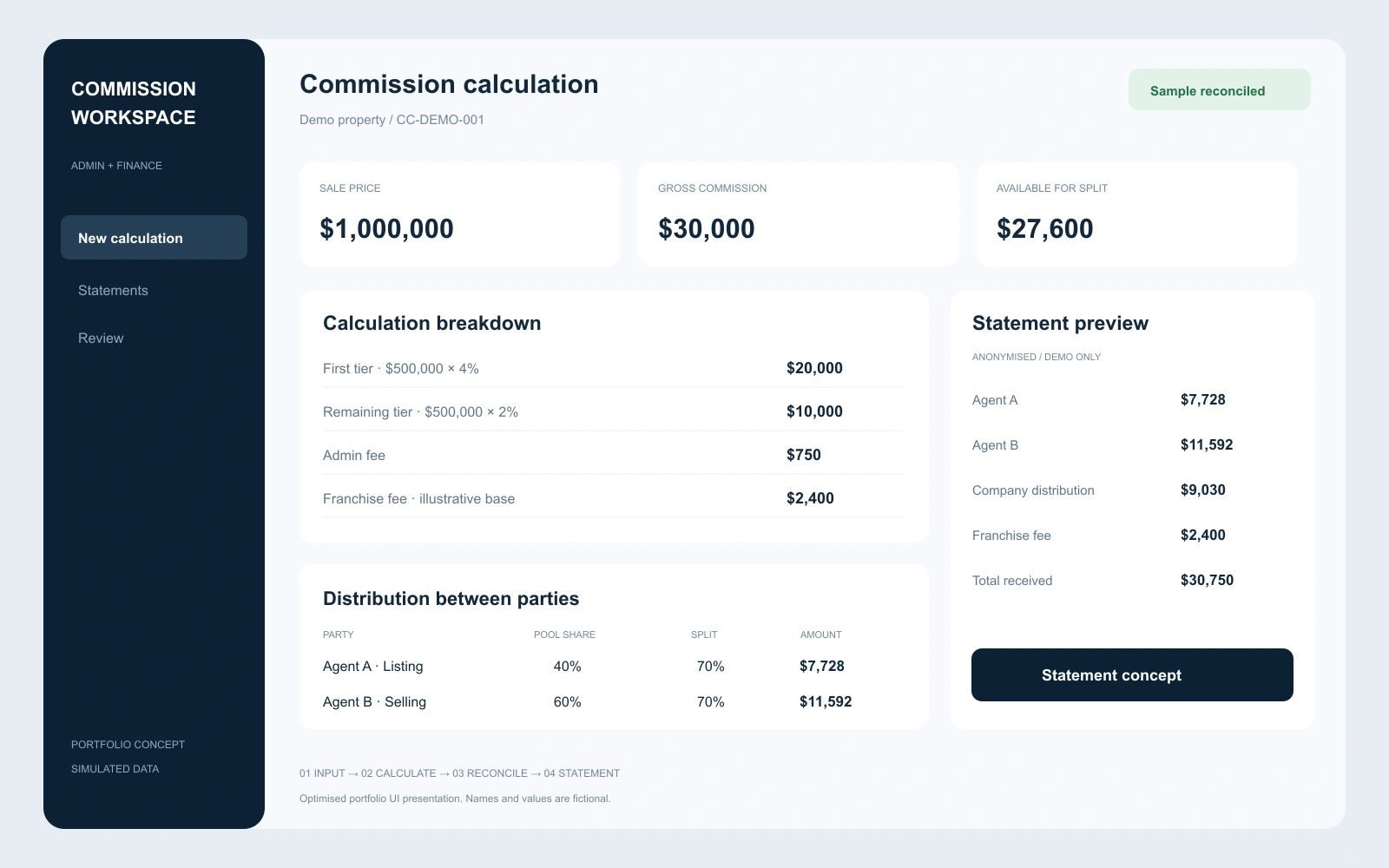
OPTIMISED UI PRESENTATION / SIMULATED DATA / AGENT IDENTITIES HIDDEN
The goal is to reduce repeated calculation and checking work across departments. Commission tiers, deductions and party allocations sit alongside a live summary, making the calculation easier to follow before a statement is prepared.
Prepare sale details and commission allocations in one place.
Review fees, split amounts and reconciliation differences before payment.
Read a consistent financial breakdown to support report review.
Admin records the property, sale price, commission tiers and applicable fees.
Apply listing and selling allocations, office fees, referrals and franchise deductions.
Review the live summary and validation differences before generating the statement.
Give finance and management a consistent breakdown for checking payments and reporting.
The inspected calculator updates commission totals, office and agent distributions, and validation differences. In this demonstration, the sale price is $1,000,000 and the two commission tiers total $30,000. Agent allocation is intentionally incomplete, so the page correctly displays “Needs Review”.
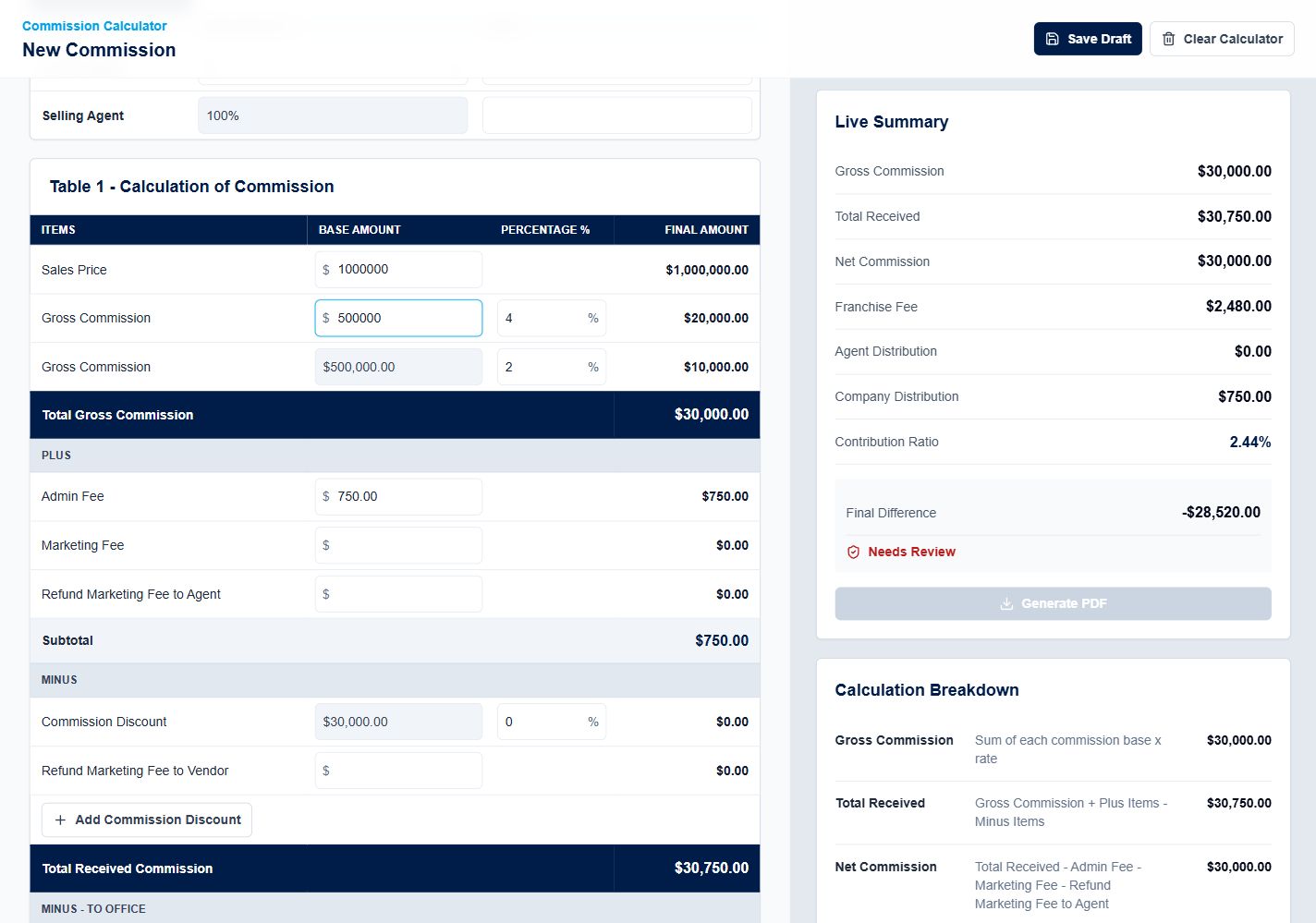
The PDF generation control is visible and disabled while this sample remains incomplete. A completed PDF export and a separate management dashboard were not verified in this review.
The optimised cover illustrates a proposed hierarchy for calculation, reconciliation and statement review. It is a portfolio presentation, not a change to the hosted calculator.
Help Admin and finance move from transaction details to statement calculations with fewer repeated steps, and make the resulting financial information easier for managers to review. No measured time-saving percentage is claimed.
NEXT / GRAPHIC DESIGN PARTS